Anyone responsible for ticketing operations understands the specific anxiety of a server stalling during a high-profile launch or peak booking hours. This technical failure usually points back to a choice made months earlier: the architecture of the booking system.
Overhead, security risk, and surge-handling capability all come down to one decision: SaaS vs. on-premise software — no matter if you’re managing a transport line, a stadium, a theatre, or holding a seminar.
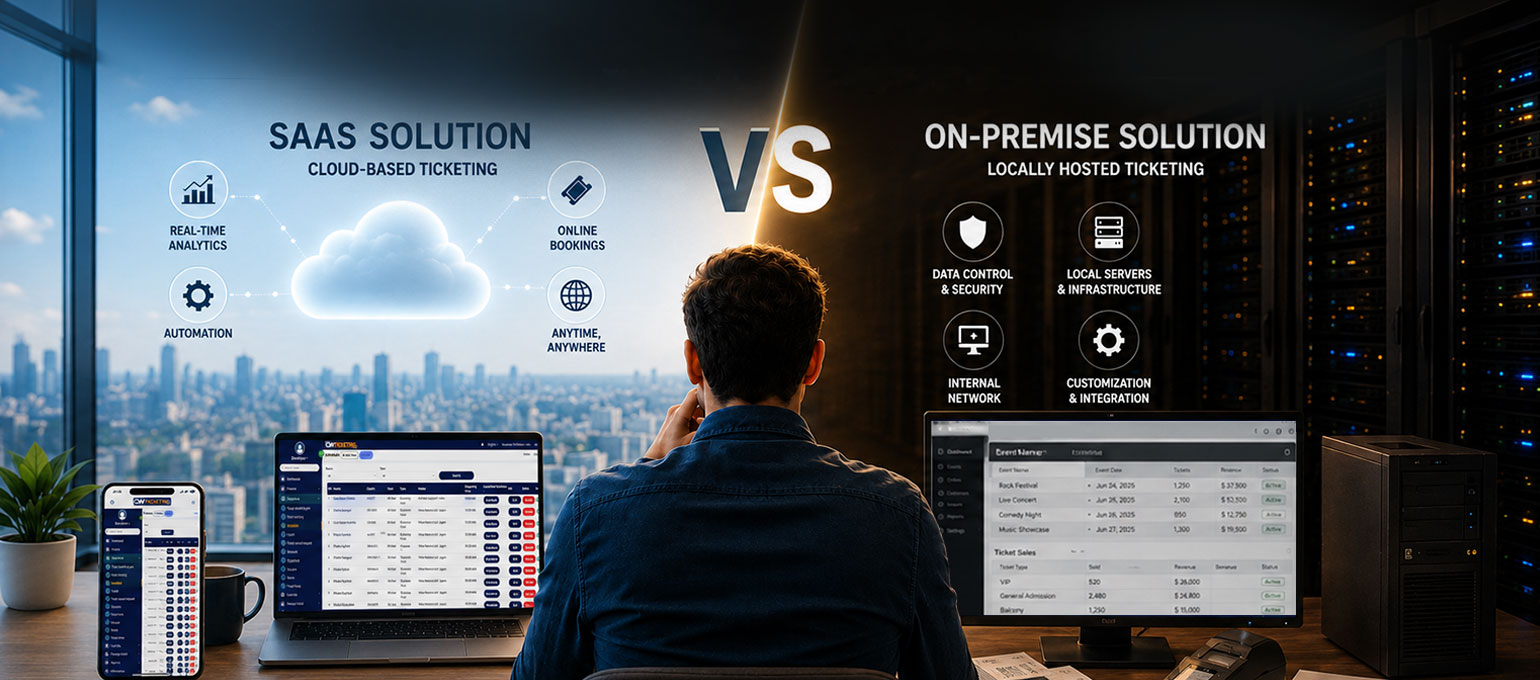
Understanding the Two Architectures: SaaS Ticketing Software vs. On-Premise System
Every modern business owner should be aware of the two software deployment models and how each influences their business in the most fundamental way.
On-Premise Ticket Booking Systems
On-premise solutions are installed locally on your organisation’s hardware. You purchase a license for the software, and your internal IT department takes full responsibility for the environment. This includes the physical servers, data backups, power redundancy, and manual installation of any software updates provided by the developer.
SaaS Ticketing Software
SaaS (Software as a Service) platforms are a cloud-native software delivery and licensing model. The application and all associated data live on the provider’s servers (often using high-tier infrastructure like AWS or Google Cloud).
Business owners access the management dashboard through a web browser.
Here, with this model, the vendor remains responsible for the “stack” — meaning they handle code updates, server maintenance, and security patches.
Both software models have their uses, advantages, and drawbacks. As a business owner, you have to choose which model aligns with your operational plan.
Comparison Table: Operational Differences
| Factor | SaaS (Cloud) | On-Premise (Local) |
| Initial Investment | Subscription or per-ticket fee | Heavy upfront license & hardware costs |
| Implementation | Days or weeks | Months |
| System Updates | Automatic and instant | Manual; requires internal testing |
| Resource Needs | Managed by the provider | Requires dedicated in-house IT staff |
| Hardware | None required locally | Servers, racks, and cooling systems |
| Data Access | Accessible from any device | Usually restricted to the local network |
Key Performance Considerations
Setup and pricing only tell part of the story. What really matters is how your ticketing system performs under pressure, especially when traffic surges. How well it handles traffic, security, and ongoing maintenance will determine if it can truly support your growth.
Scalability During Peak Demand
Ticket sales can be volatile. Sometimes, in peak seasons or hours, ticket sales can have sudden, massive bursts. SaaS systems utilise “elastic” resources, meaning the server capacity expands automatically when thousands of users hit the site simultaneously. That means you don’t have to worry about system crashes or losing sales; the system takes care of it efficiently.
On the other hand, an on-premise system is capped by the physical limits of your hardware. If your server is built to handle 1,000 users and 5,000 show up, the system will likely time out or crash. Expanding that capacity involves purchasing and configuring new physical equipment, which can be a costly and lengthy process.
Maintenance and Security
Keeping a booking system secure means protecting customer names, travel routes, and payment details. The main difference between the two models is who does the actual work to keep that data safe.
SaaS (Cloud): The provider includes security as part of the service. They employ full-time experts to monitor for threats 24/7 and ensure the system follows global payment standards. Business owners don’t have to worry about patching or fixing software; it happens automatically in the background.
On-Premise: All security falls on your internal team. If a new digital threat emerges, your IT staff must manually update the system to block it. Additionally, if the local office loses power or hardware fails, your entire booking operation stops until a physical repair is made.
Hidden Costs vs. Predictable Billing
At first glance, owning your software license might seem cheaper than a monthly fee. However, the “hidden” expenses of on-premise systems can add up quickly.
When you run your own servers, you pay for the electricity, the cooling, and the physical space they occupy. You also have to budget for new hardware every few years as the old equipment slows down.
With a SaaS model, these costs are replaced by a single, predictable subscription. You don’t have to pay for a server room; you get charged for the service itself only.
Which Model Fits Your Organisation?
SaaS is typically the best choice for:
- Transport & Tour Operators: Businesses that need to manage routes and schedules without hiring a large IT department.
- High-Growth Companies: Any organisation that needs to launch quickly and scale up as passenger or attendee numbers grow.
- Reliability-Focused Teams: Those who prefer to spend their time on operations and customer service rather than troubleshooting server errors.
On-Premise is usually reserved for:
- Government or Restricted Entities: Organizations required by law to keep data on a specific physical hard drive in a specific building.
- Legacy Enterprises: Large companies that already own massive server centres and have a large staff dedicated solely to maintaining them.
Modernising Your Booking Experience with the Right Software Deployment Model
Most operators want a “simple” system that stays online and processes payments without a hitch. Whether you are moving passengers across a city or fans into an arena, the technology shouldn’t clash with the transaction or user experience.
CWTicketing eliminates the technical barriers of modern booking. Our fully managed SaaS platform combines enterprise-grade stability with complete white-label flexibility. You retain full control over the user experience and branding, while we provide the secure, auto-scaling infrastructure that can move passengers and attendees at scale.
Connect with CWTicketing to explore our scalable white-label solutions.


Leave a Reply